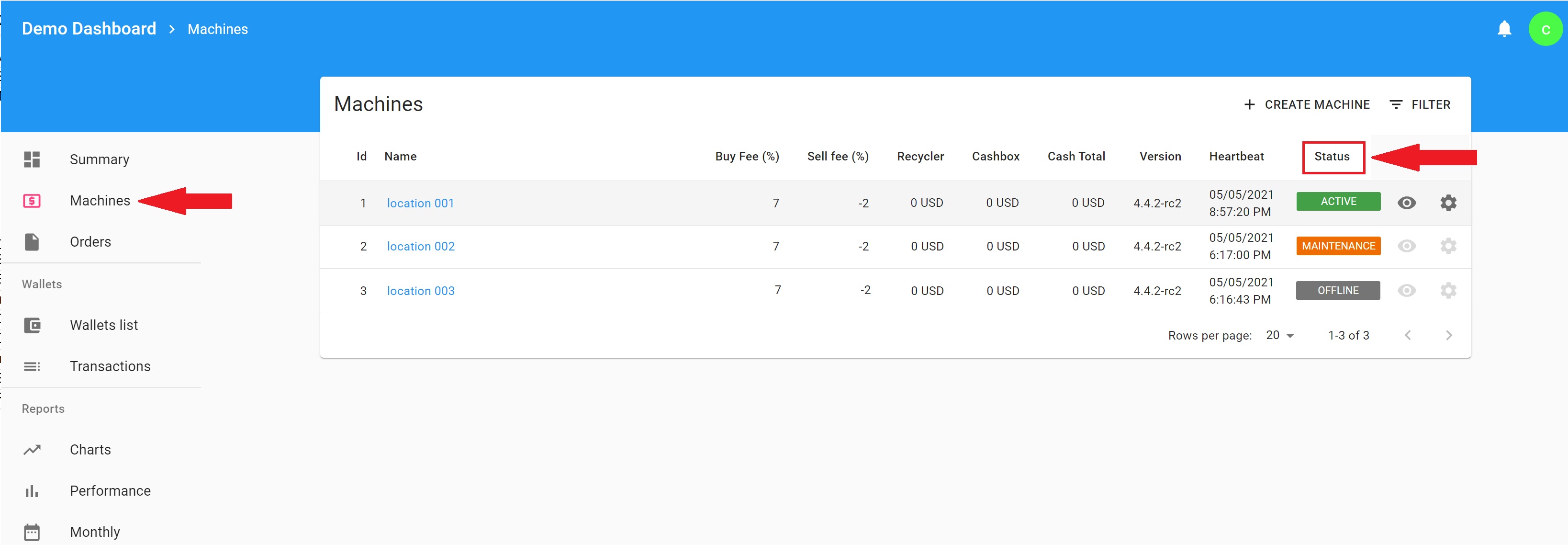
The Machine Status indicates the current status of your machine.
The machine statuses are:
Active - Active status indicates that your machine is online, connected to the internet, and operational.
Maintenance - Maintenance status indicates that the machine is currently not serving customers. When the machine is placed in maintenance mode a custom message will be displayed on the screen. For instructions on how to set your custom maintenance message please see the article:
- Settings - Threshold, Disclaimer, Maintenance Screen
- How to put the machine in Maintenance/Active mode
Offline - The offline status indicated that your machine is not operational, reasons can be a power outage or an internet connection interumption. To diagnose a reason why the machine is in an Offline status please see the article:
Busy - The machine status Busy indicated that someone is interacting with the machine screen.
Comments
0 comments
Please sign in to leave a comment.