To put the machine in a maintenance mode follow the below steps:
1. Navigate to the Machines/ Edit settings.
From Dashboard navigate to Machines. Click on Edit Settings (gearbox icon on the right of the machine in question) 
2. Choose Maintenance from a Mode menu dropdown. 
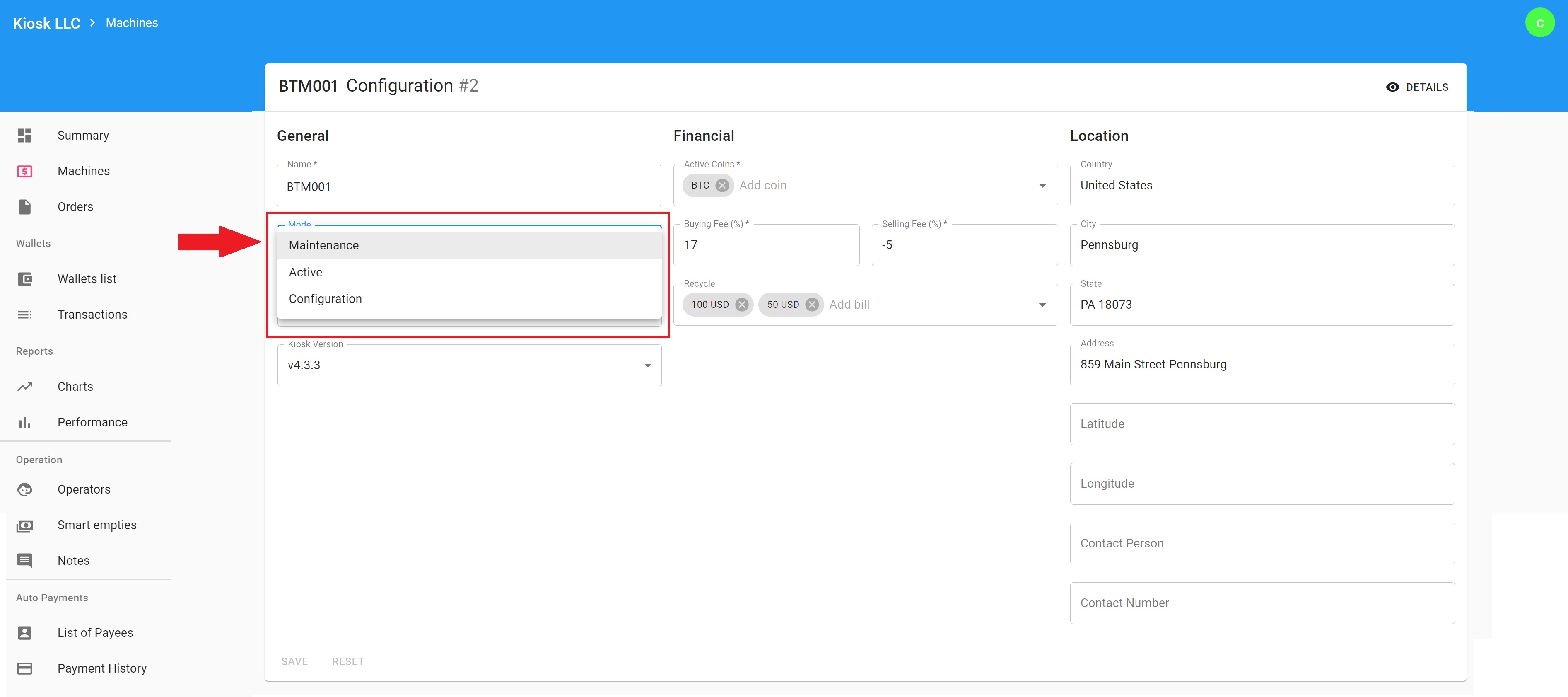
2. Save the new Mode setting. After selecting Maintenance Mode, save changes, and the machine will go into maintenance Mode and the Maintenance screen (with your custom message) will display on the screen of your machine. To place the machine back in Active mode choose Active and save settings.

When the machine is placed in Maintenance mode, a custom message will be displayed on the machine screen. To learn how to create a custom Maintenance message please see:
Note: Do not place the machine in Configuration Mode. Configuration mode is used for machine updates and support.
Comments
0 comments
Please sign in to leave a comment.