The Sell order button on the machine screen will be enabled only if there are bills present in the Recycler. This means that in order for the machine to facilitate Sell orders, the machine needs to have bills available in the recycler.
Usually, the recycler gets filled with bills by customers simply placing the Buy orders and inserting the cash. But operators have an option to manually add bills to the recycler.
To load the Recycler with cash follow the steps below:
- Enter the Admin screen. On the machines screen tap the logo 10 times and Insert your operator code (this is the same code you are using for the Smart Empty). To learn how to create an operator code see How to create a cash Operator
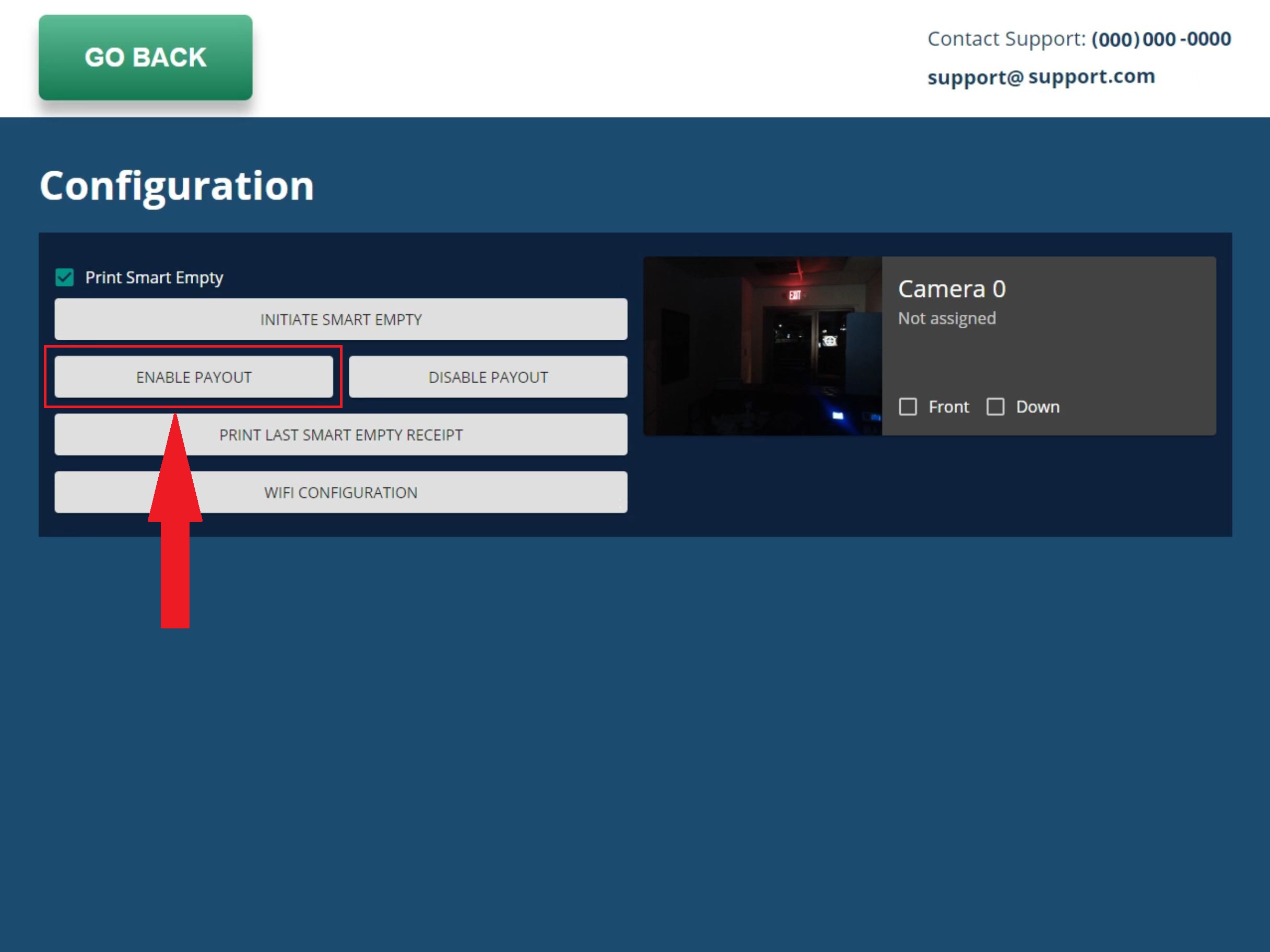
- Press Enable Payout. Pressing Enable Payout will turn on the recycler and allow you to insert the bills.
- Insert Cash (assure to only insert bills designated for the recycling, otherwise bills will be sent directly to the cashbox and won't be available for the sell orders)
Note: The cash that is in the cashbox will not be available for sell orders. The cashbox can not send the bills back to the recycler. When loading bills to the machine assure to load only bills selected for recycling, to learn how to designate bills for recycling please see: How to Setup the Machines (fees, language, bill denominations for recycling)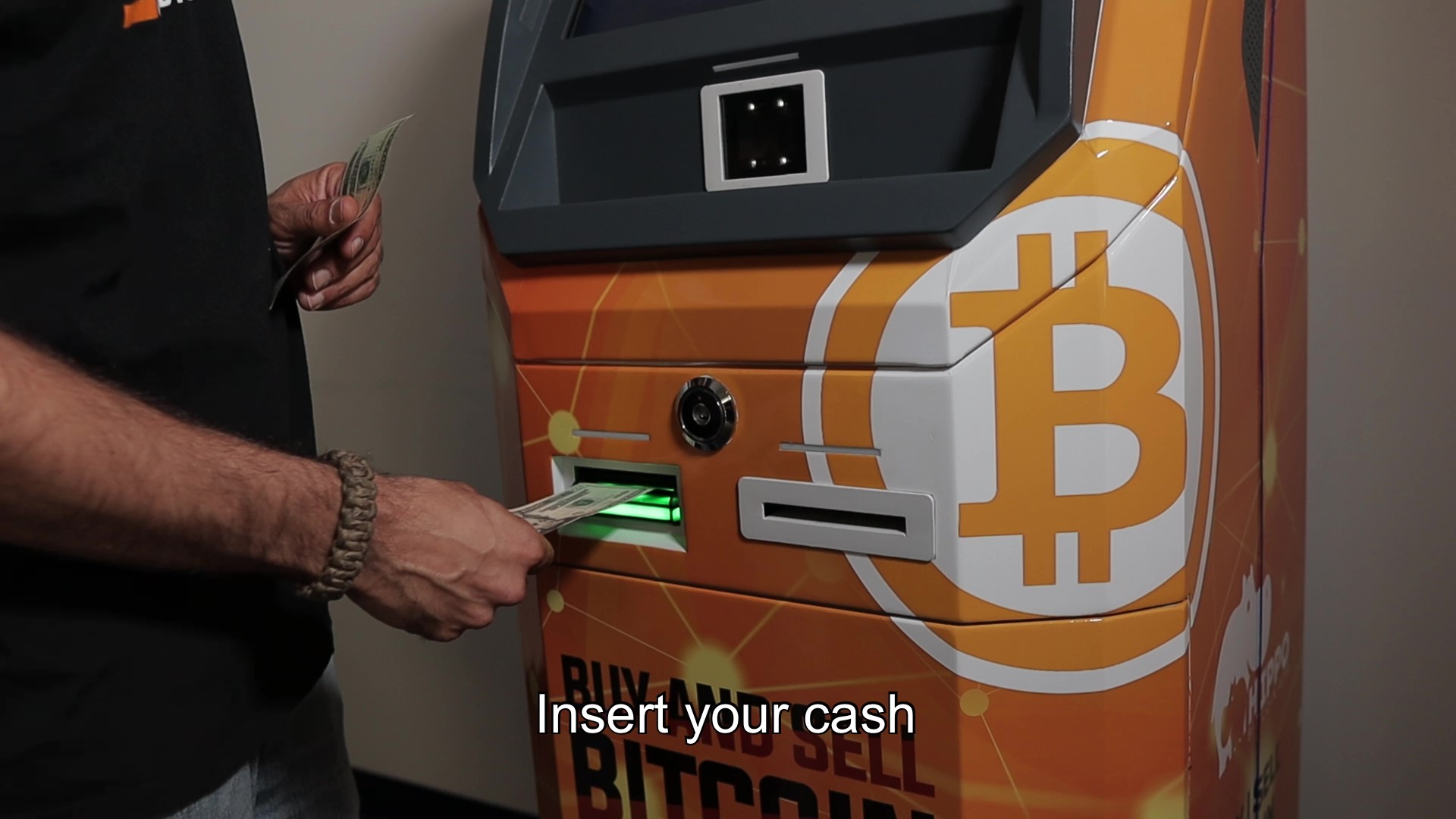
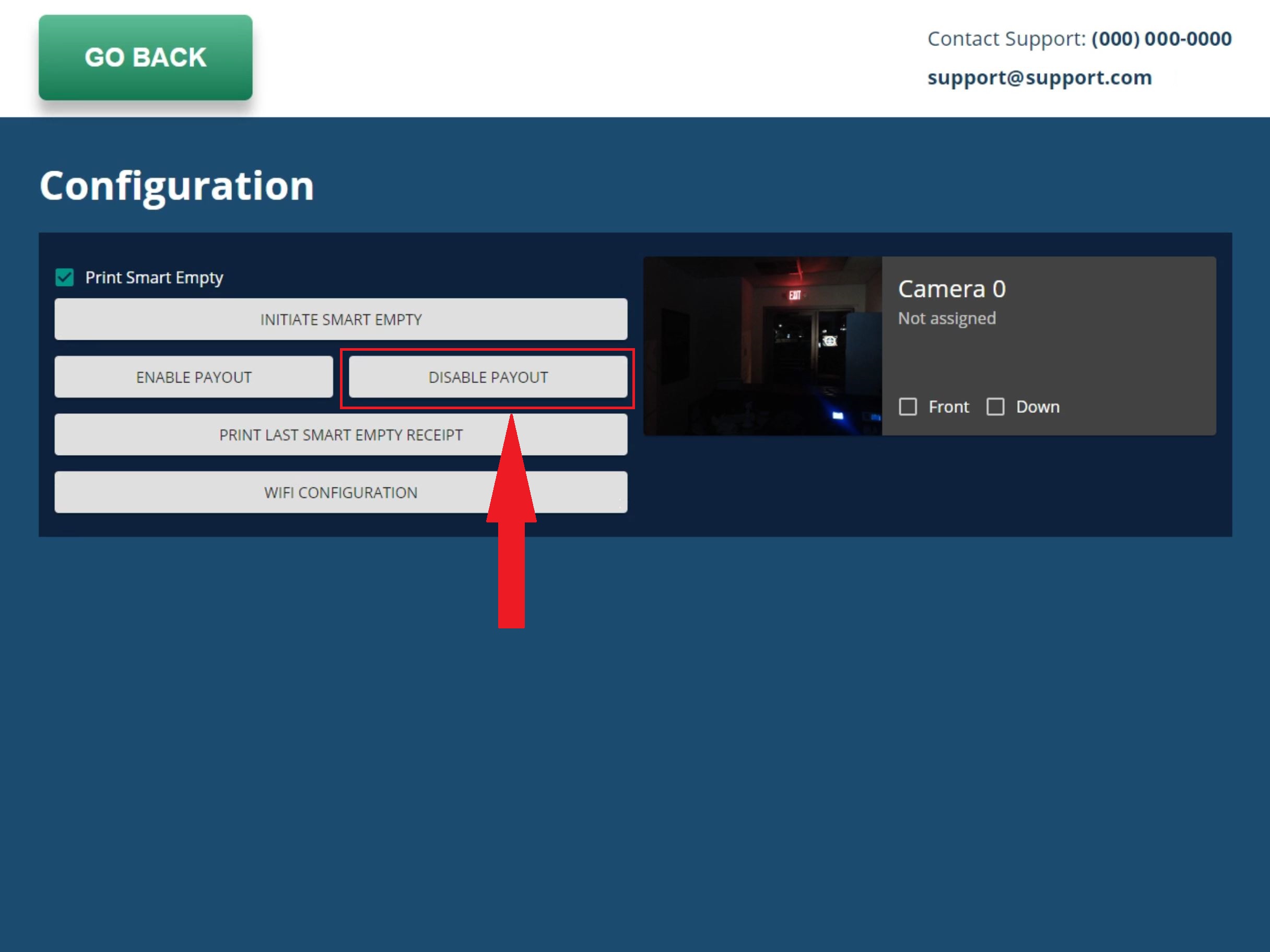
- Disable Payout. IMPORTANT: When done with inserting bills press Disable Payout. This is a crucial step, not pressing Disable Payout will leave the Recycler in an enabled mood and the machine will accept bills not accounting for them toward the orders.
Comments
0 comments
Please sign in to leave a comment.