Wallets Blacklist
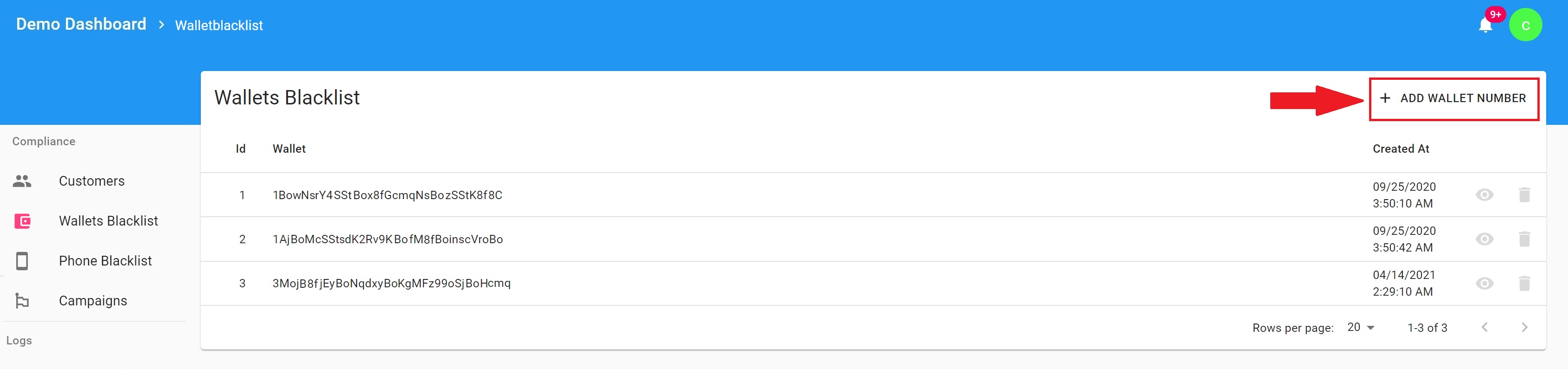
To blacklist the wallet address navigate to the tab:
- Wallets Blacklist
- Click Add wallet number
- Insert the wallet address you wish to blacklist and click Save
If the blacklisted wallet address is used on the machine, the order will automatically go into status: Blocked. For an explanation on the order statuses see the article: Orders and Order Statuses
To remove the wallet address from the blacklist simply delete the wallet entry.
Phone Blacklist
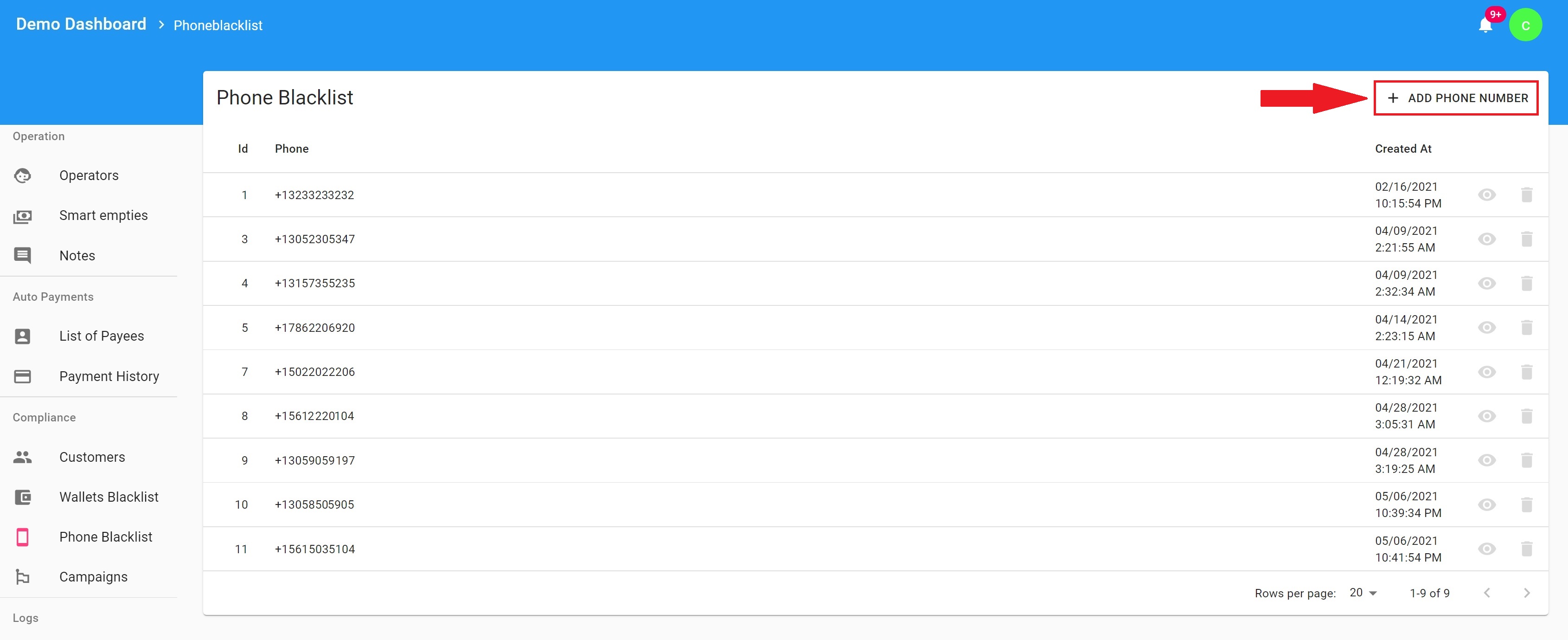
Blacklisting the phone number will prevent the customer from receiving an SMS with the PIN code for the purchase. If the customer during the transaction inputs the phone number which is blacklisted, the machine screen will display a message that the customer must contact the operator's customer support number.
To blacklist the phone number navigate to the tab:
- Phone Blacklist
- Click Add phone number
- Insert the phone number you wish to blacklist and click Save
Note: The Phone number blacklist will only have an effect on the transaction ranges in which the SMS is enabled as a KYC limit provider.
To learn how to set up KYC Limits please see: How to set up KYC limits in the Dashboard?
To remove the wallet address from the blacklist simply delete the wallet entry.
Comments
0 comments
Please sign in to leave a comment.