The ChainBytes Dashboard provides you with an interface to report on your Bitcoin ATM prices and availability directly to your Coin ATM Radar machine listing.
Coin ATM Radar is an online location service aggregator used by your potential customers to locate a Bitcoin ATM near them. Potential customers may peruse a variety of options to select an appropriate ATM, so it is in your best interest to share your accurate details with CoinATMRadar.com
The information you elect to share is published by our aggregator. Coin ATM Radar interfaces directly with the aggregator list. The list only contains what you permit. You must have an account with Coin ATM Radar to expose your information on their website & apps.
Adding Your First Listing
1. Activate reporting in your Dashboard
In your Dashboard navigate to Settings/Machines. And enable information that you wish to share with Coin ATM Radar. Once enabled assure to Save the changes. 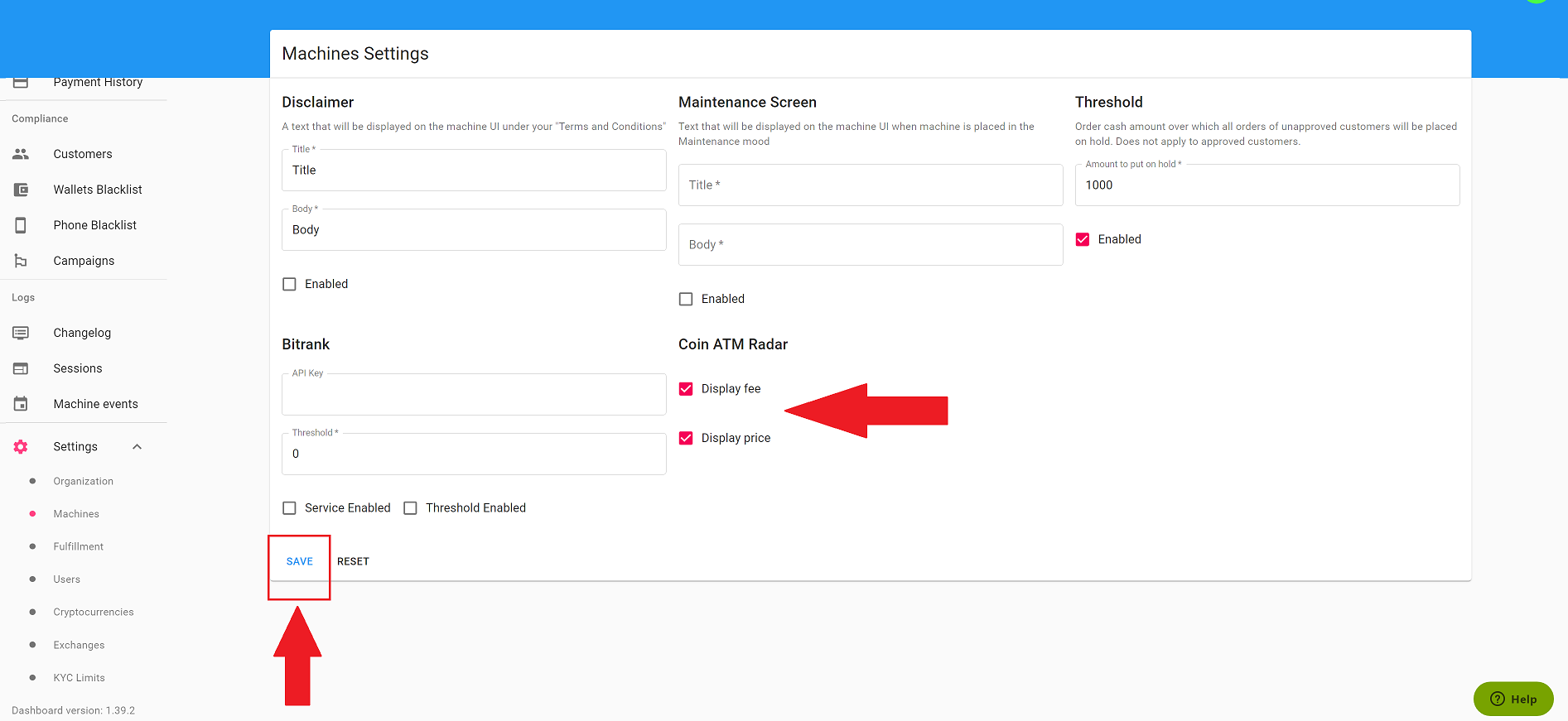
2. Locate Coin ATM ID of your machine in Dashboard
Navigate to the Machines tab and click on View Details.

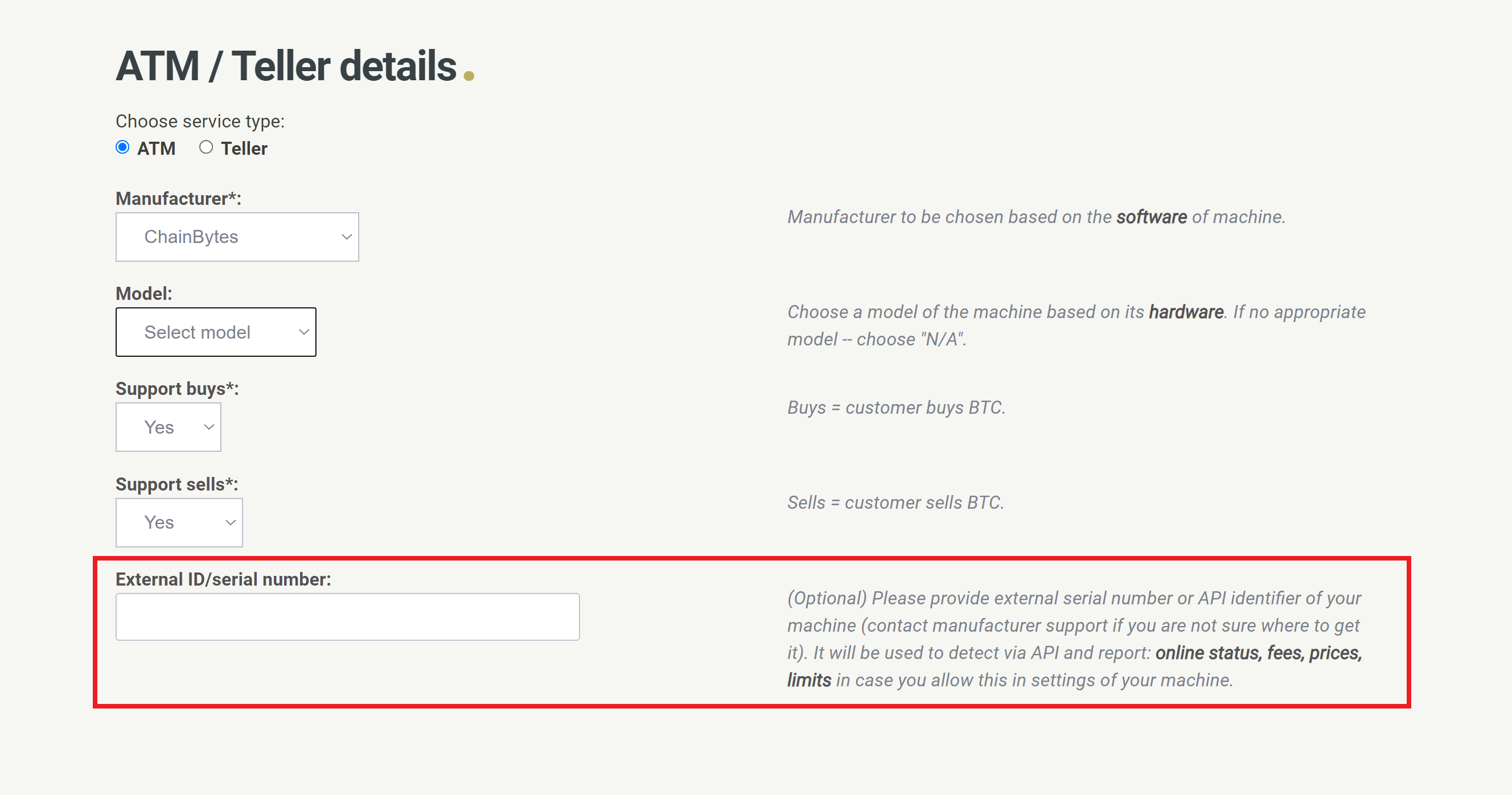
On the machine Details page, you will find machine-specific Coin ATM Radar ID, (this is your machine External ID which you may use for your Coin ATM Radar listing).
Keep in mind that every machine has its own unique ID.

2. Submit a new bitcoin ATM / Create an account with Coin ATM Radar
(if you already have a Coin ATM account you can skip this step and proceed to: Editing Details)
Your Coin ATM Radar account will be created from the information you provide in this step. Fill out all required details on this form: https://coinatmradar.com/submit/
- The initial ATM will be added immediately after confirming the data is valid.
- Provide your ChainBytes ID / serial number:
3. Wait for your account credentials.
After verifying your machine info, Coin ATM Radar will send you account login credentials (to speed up the process you can email them at support@coinatmradar.com requesting credentials).
Once you have your credentials, you can modify your existing Bitcoin ATM details or add new locations. You may also upload images, and youtube videos which are crucial for helping your potential customers find your Bitcoin ATM.
If you do not have a YouTube video showcasing process of Buying bitcoin on your machine, we prepared a short video you can use, video is available at: https://www.youtube.com/watch?v=WG68Y8GE0qw (you can just copy the URL and add it to your machine listing.
Adding Pictures & Editing Details
Pictures
In order to help your potential customers locate your machine and show your location in the proper context, you should include pictures for your machine listing on Coin ATM Radar (people like to see indoor location where ATM is placed)
When adding pictures keep in mind:
- Pictures must be JPG or PNG
- Picture size should be under 3 Mb.
- Resolution should be a minimum of 800 pixels on a single side.
- When adding pictures assure to add picture of the ATM in the location interior.
- Location exterior (how the customer will identify the location).
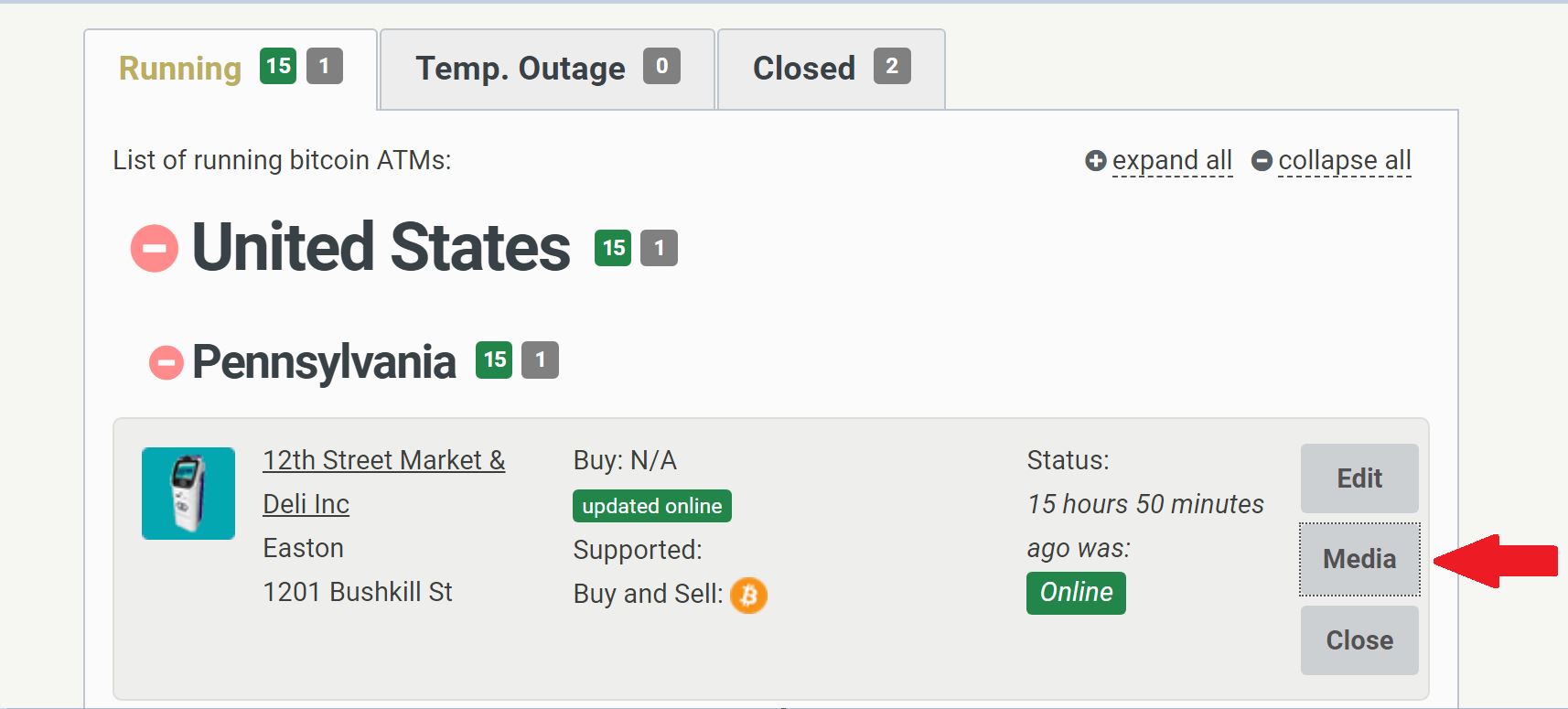
Navigate to: https://coinatmradar.com/account/atms/
-
You will be redirected to a page where you can add pictures of your machine and videos.
-
It's recomended by Coin ATM Radar to uploud 1-2 ATM pictures at the location interior and 1 outdoor location picture. No watermarks, brands or any other layer on top of the image are allowed by Coin ATM Radar.
Editing Details
Click on the Edit button to change individual ATM listings.
Navigate to: https://coinatmradar.com/account/atms/
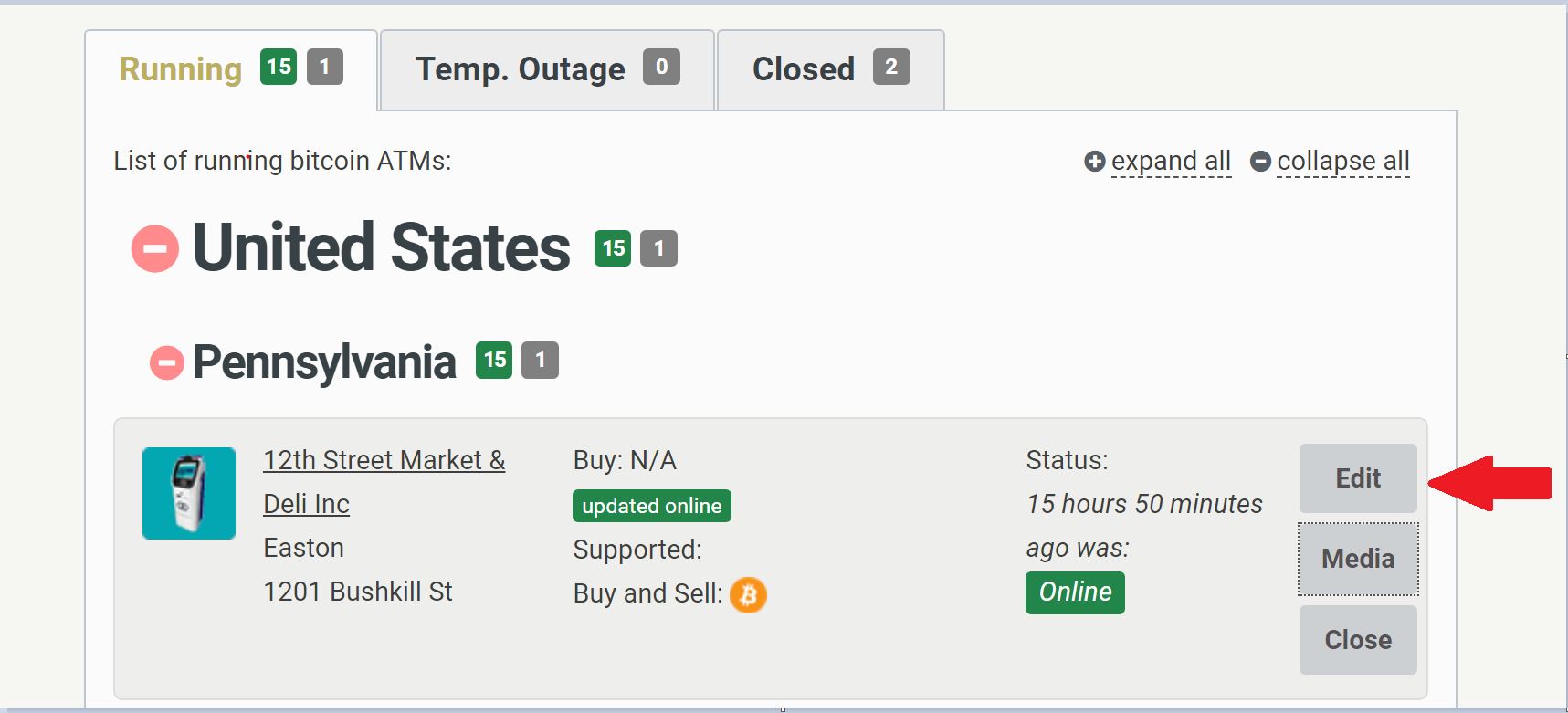
-
You will be redirected to the page with all the editable fields for your listing.
Adding Additional ATMs to Coin ATM Radar
1. Navigate to: https://coinatmradar.com/account/atms/
2. Click +Add new:

-
Fill all required fields for the new ChainBytes ATM.
-
Provide the Bitcoin ATM External ID (Coinatmradar ID)

Comments
0 comments
Please sign in to leave a comment.