To add a wallet to your dashboard follow the below steps:
1. Log in to your Dashboard and navigate to Wallets (always log in from a safe computer and assure to keep your Dashboard safe). Click on +Add Wallet located at the top right corner. 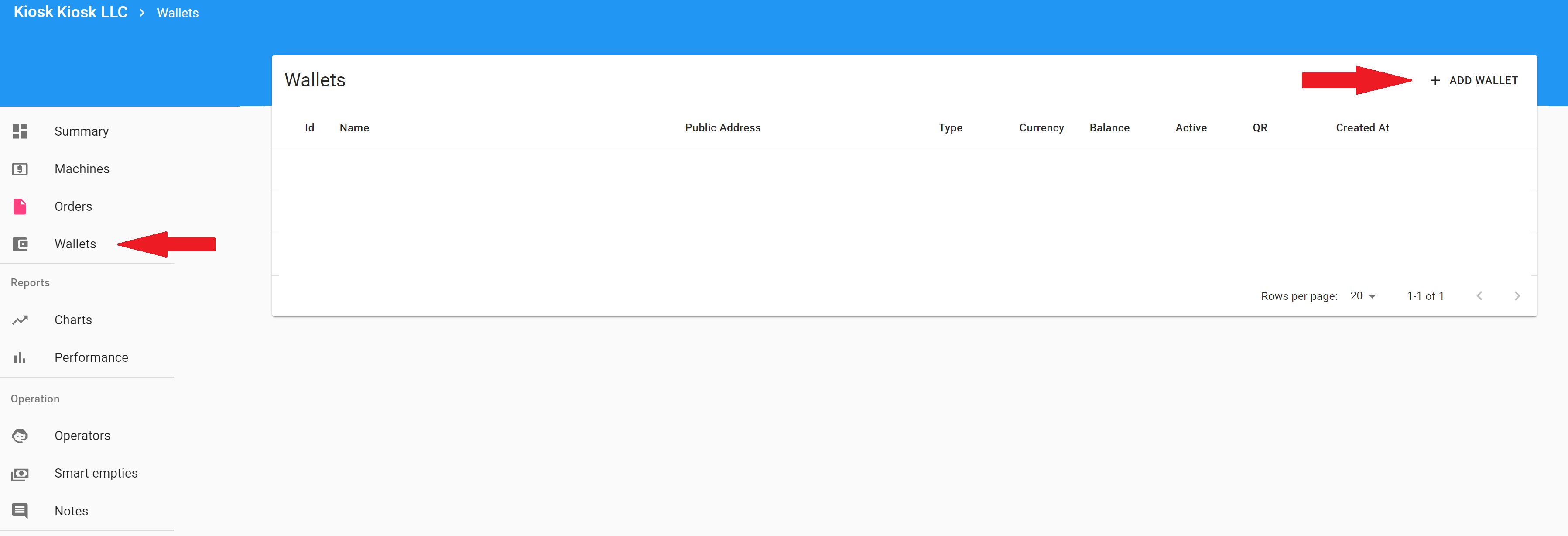
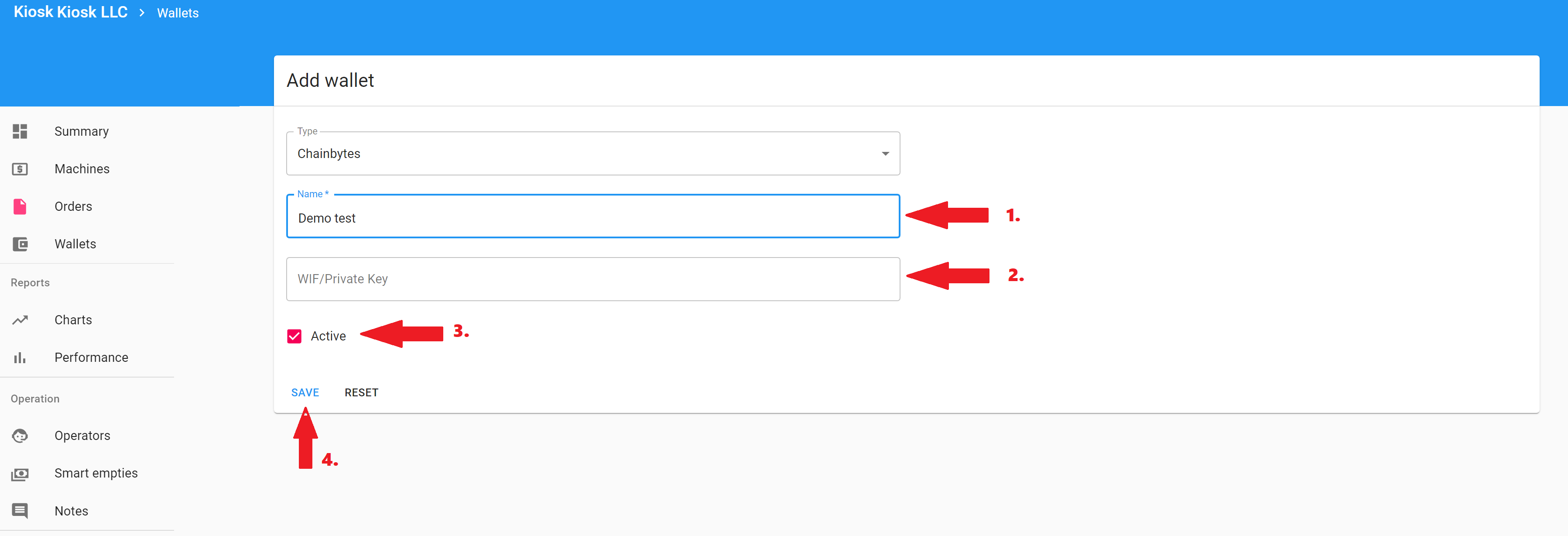
2. Fill out the information:
- Name your wallet
- If you already have a WIF of your wallet add it here. If you don't leave this section empty. Note: If you are adding a private key from a wallet you already have, assure that is in WIF format, a regular private key will not work.
- Assure that "Active" is checked
- Click "Save"
3. Copy and store your WIF/Private key securely. Assure to keep your wallet information, keys, passwords etc safe, if you lose your WIF/private key we will not be able to restore it for you. You are the owner of your wallet and you are holding your keys. In case that you lose your wallet keys or access to your wallet, we can not help you recover it. Therefore is essential that you copy and store securely your WIF, once you close this page you won't be able to get it again. Do not share your keys with anyone, anyone with access to your keys will have full control over your wallet.
Once you have copied and secured your keys, click Close.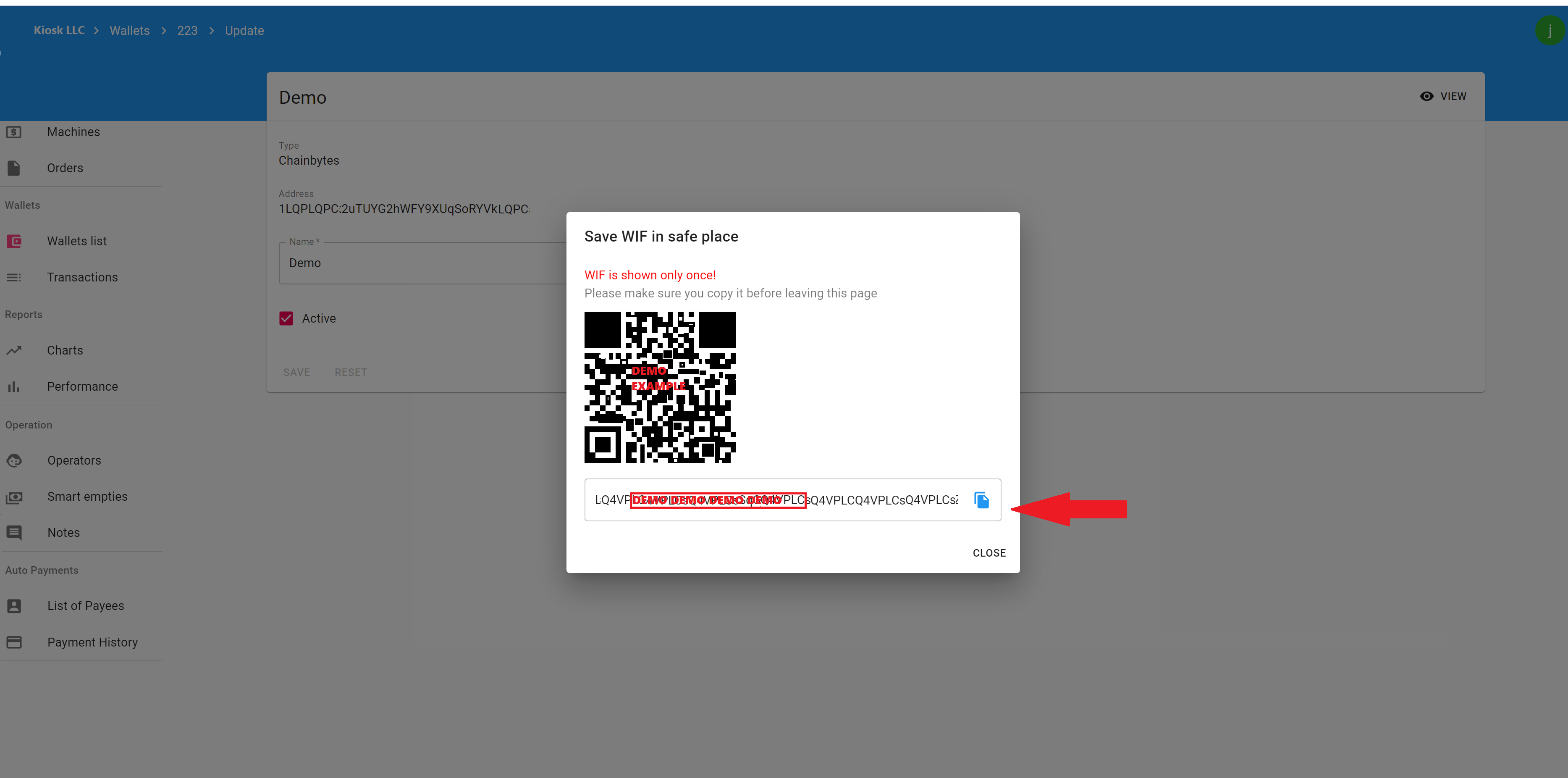
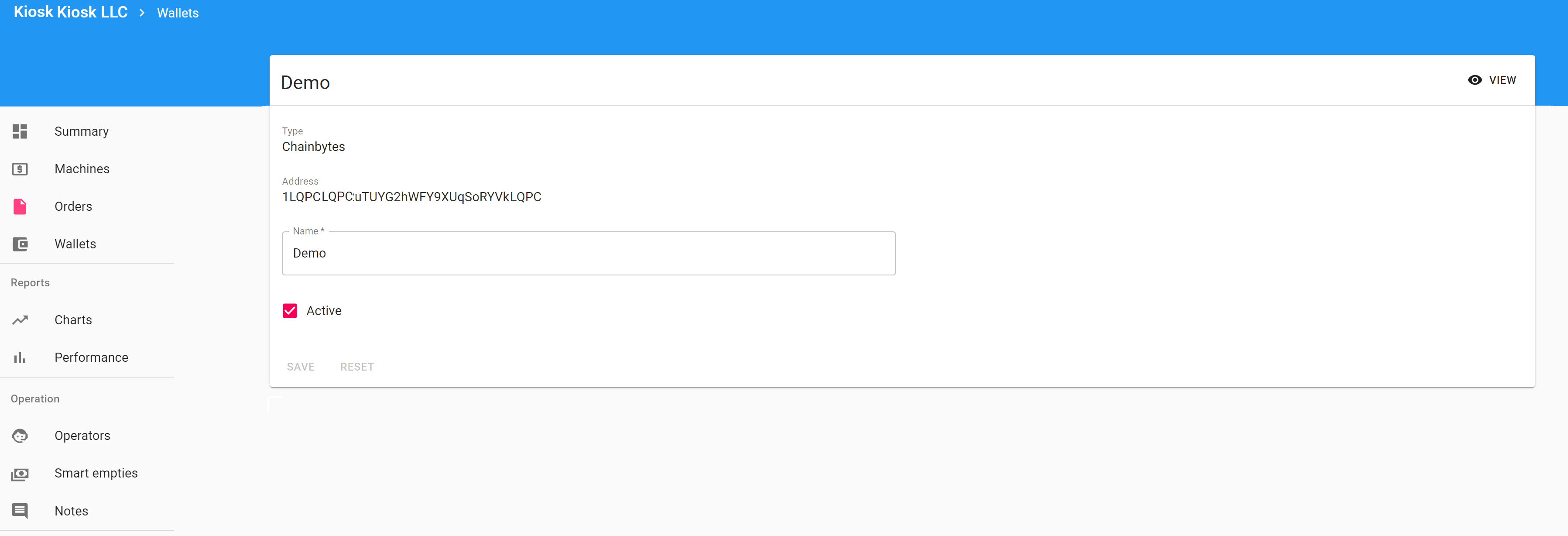
3. Done! Your wallet is now added to your dashboard.
1. Name you gave to your wallet
2. Your wallet public address
3. Your wallet balance
4. Staus of your wallet (Active YES- the wallet is in use, No - the wallet is not in use) 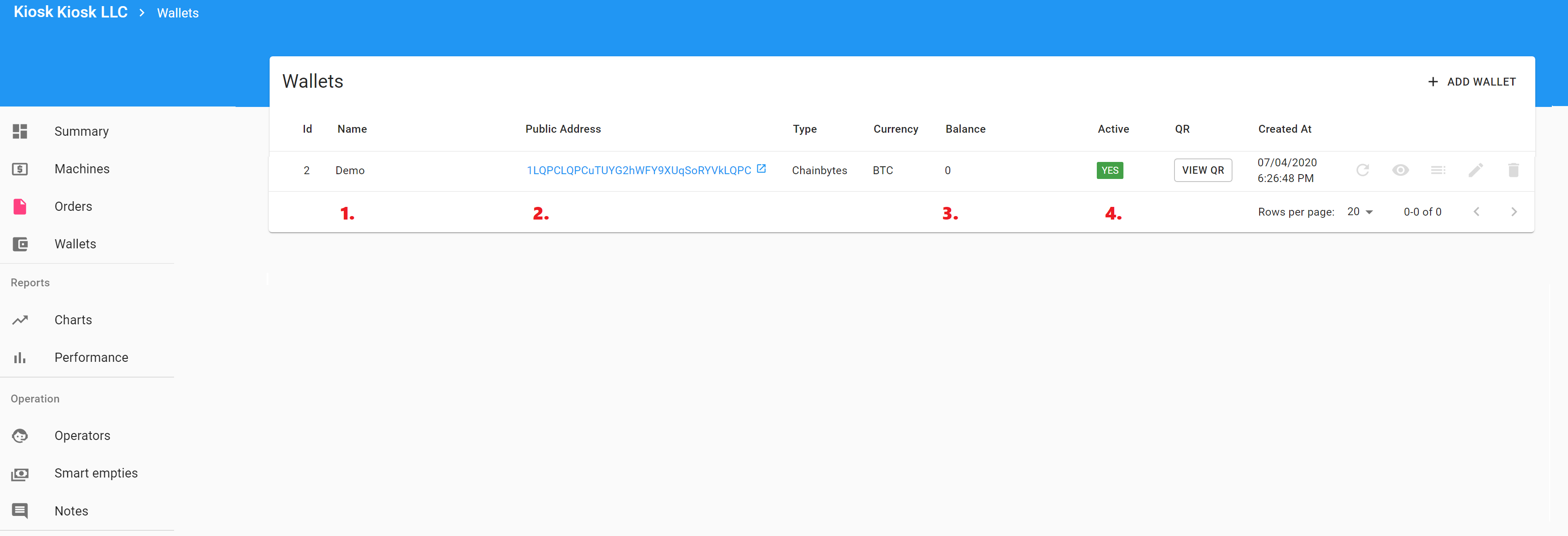
Comments
0 comments
Please sign in to leave a comment.